I’ve always wanted to build a home lab. A few years back, I finally got around to putting one together using a Raspberry Pi SBC; but I quickly ran of storage. Then I got on eBay; purchased a Mac Mini (Late 2012), 16GB of RAM, and a 2TB SSD. I swapped out the original components for the ones I’d bought, then loaded Linux Mint onto it.
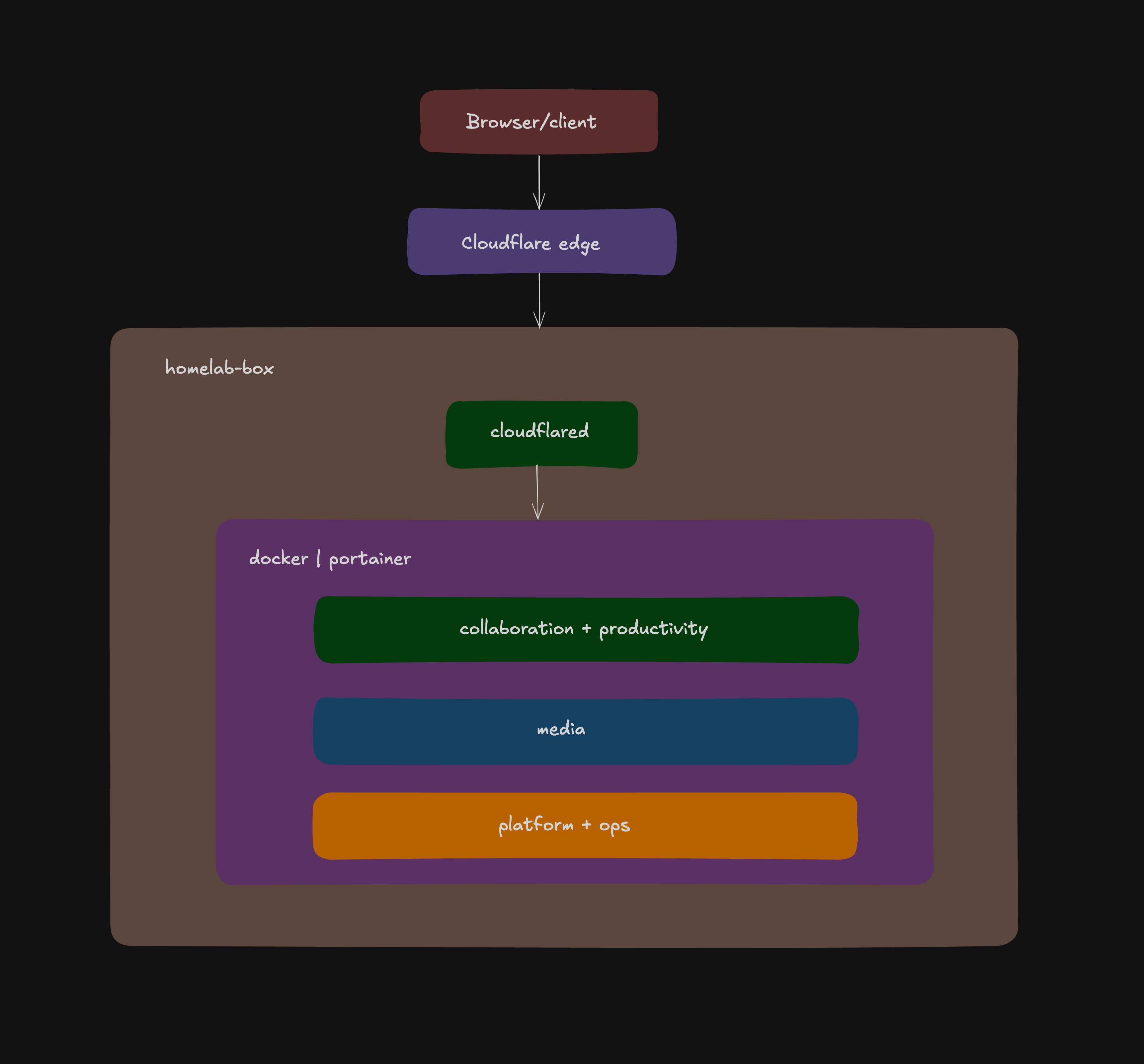
I tucked the device away in my study after setting up Portainer and configuring a Cloudflare Tunnel so I could access it over the web from outside my home network. For months afterward, I managed everything from my PC, using a combination of SSH and Portainer to deploy new services and maintain existing ones.
After months of going through this routine, I decided to build a Model Context Protocol (MCP) server that provisions tools for AI agents to interact with my homelab on my behalf.
how it works
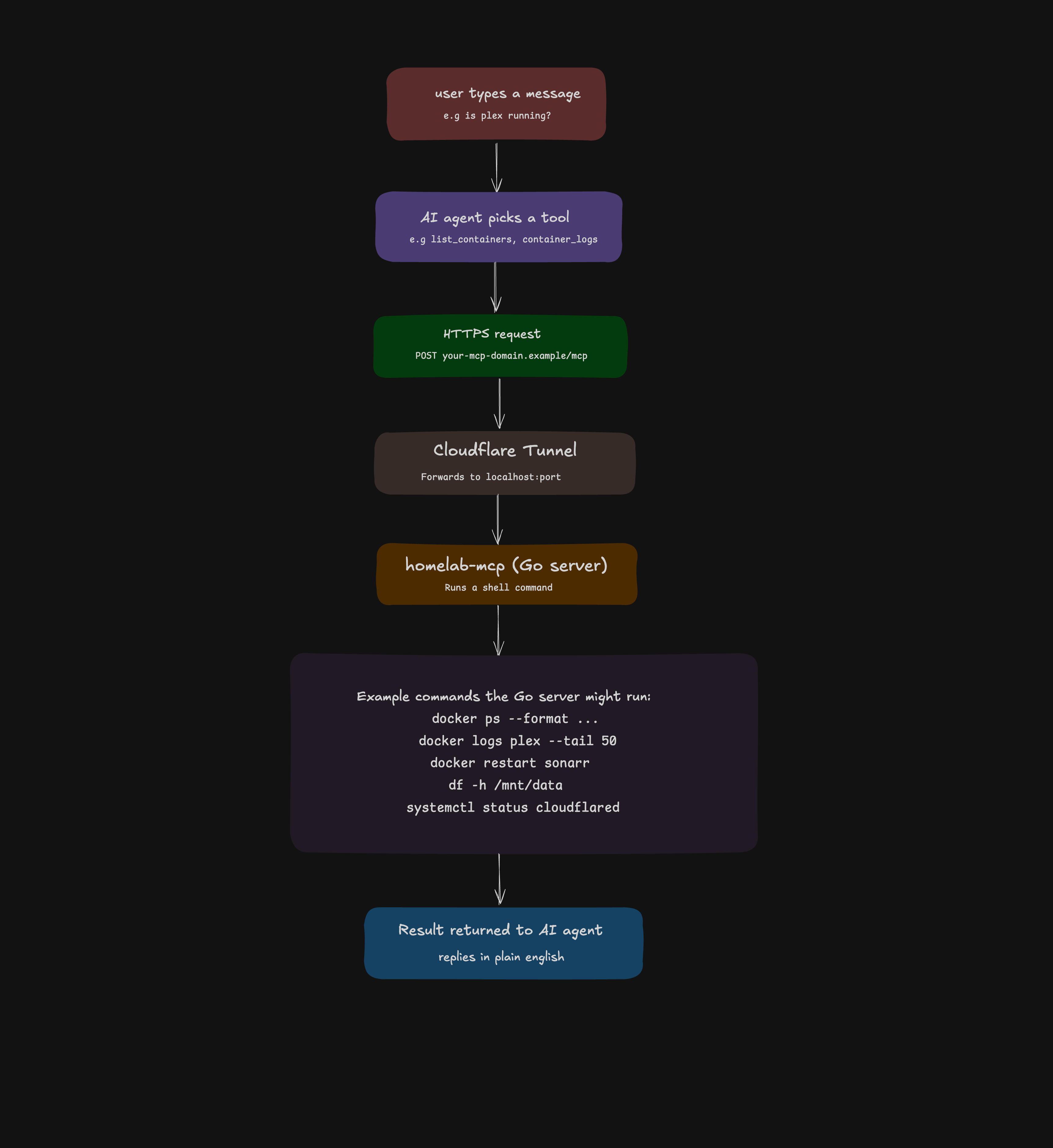
Here’s what it looks like in practice: I send a message to an AI agent (Opencode, Hermes, Claude code, etc), it picks the appropriate tools registered on my MCP server, and that tool runs on the homelab, either as Linux commands or Portainer API calls to deploy and manage stacks. All the low-level details are handled by the agents.
When the MCP server is registered with an AI agent, the agent fetches the full tools list. It knows the name, description, and parameters of every tool. When a message comes in, the agent reasons about which tool fits, constructs the arguments, calls it, reads the raw output, and replies in plain English.
examples of things agents can do
What I say
Tool called
What runs on arrakis
”Is Plex running?”
list_containers
docker ps
”Show me Sonarr logs”
container_logs
docker logs sonarr
”How much RAM is free?”
memory_usage
free -h
”Restart qbittorrent”
restart_container
docker restart qbittorrent
”What’s using port 8080?”
open_ports
ss -tlnp
”Can arrakis reach Google?”
ping_host
ping -c 4 google.com
”Deploy a new nginx stack”
deploy_stack
Portainer API
”What failed services are there?”
failed_services
systemctl --failed
”Check the health of /dev/sda”
drive_health
smartctl
”Read the nginx config file”
read_file
cat
”Find large log files”
large_log_files
find /var/log
tools
docker
Tool
Description
list_containers
List running/stopped containers
container_logs
Get logs for a container
restart_container
Restart a container by name
container_stats
CPU and memory per container
portainer stacks
Tool
Description
list_stacks
List all Portainer stacks
deploy_stack
Deploy a new stack from a compose string
update_stack
Update and redeploy an existing stack
get_stack_file
Read the compose file of a stack
start_stack
Start a stopped stack
stop_stack
Stop a running stack
delete_stack
Permanently delete a stack
system
Tool
Description
disk_usage
Disk usage across mounts
memory_usage
RAM and swap usage
system_uptime
Uptime and load average
top_processes
Top processes by CPU or memory
disk_io
Disk I/O stats per device
vm_stats
Memory, swap, and CPU pressure
cpu_info
CPU architecture and core info
kernel_messages
Recent dmesg output
cpu_temps
CPU and board temperatures
services
Tool
Description
failed_services
List failed systemd services
service_status
Status of a systemd service
service_control
Start/stop/restart/enable/disable a service
logged_in_users
Users currently logged in
login_history
Recent login history
list_cron_jobs
Cron jobs for a user
storage
Tool
Description
block_devices
Block devices and mount points
inode_usage
Inode usage per filesystem
drive_health
SMART health status of a drive
large_log_files
Find large files in a directory
pending_updates
Pending apt package updates
network
Tool
Description
open_ports
Listening ports on the host
ping_host
Check connectivity to a host
active_connections
Active network connections
routing_table
Host routing table
firewall_rules
iptables firewall rules
http_check
HTTP response code and latency for a URL
dns_lookup
DNS lookup from the host
logs
Tool
Description
journal_logs
Systemd journal logs for a service
filesystem
Tool
Description
read_file
Read a file from the host
tail_file
Read the last N lines of a file
write_file
Write content to a file on the host
grep_files
Search for a pattern in files
find_files
Find files by name or type
dir_size
Disk size of a directory
list_dir
List directory contents
make_dir
Create a directory
copy_file
Copy a file or directory
move_file
Move or rename a file
delete_file
Delete a file or directory
which_command
Check if commands are available on the host
run_command
Run an arbitrary shell command on the host
boundary
The agent can only use what I give it. Every tool is explicitly defined in the server with specific parameters it can’t go beyond them. Tools like run_command, write_file, delete_file, and deploy_stack are powerful by design, so the server itself stays locked down behind a Cloudflare Tunnel with authentication. The exposed surface is intentional and auditable: I can see exactly which tools exist and what they do.